Posts tagged ‘rdp’

Mobile Developement – RDP AutoLogin extended (version 4)

Hello

on the wish of the one or other user I extended the RDP AutoLogin code and we now reached level 4.

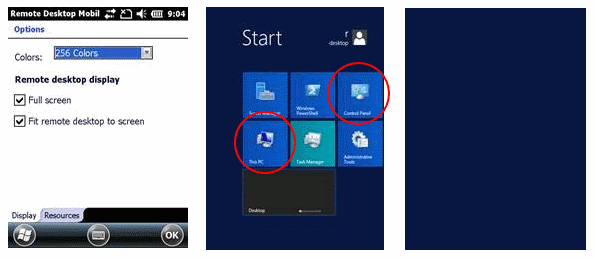
The new code simply has only one extension, it supports the color depth selection. Also the color depth and other settings are visible on the dialog of Remote Desktop Mobile, the settings itself are done via the Default.rdp file. But you are right, RDP_AutoLogin also controls some of the dialog items directly.

  1. ...
  2. Domain:s:
  3. ColorDepthID:i:3
  4. ScreenStyle:i:0
  5. DesktopWidth:i:640
  6. DesktopHeight:i:480
  7. UserName:s:rdesktop
  8. ...
  9. ServerName:s:192.168.128.5
  10. SavePassword:i:1
  11. ...

The color depth setting supports two modes, 8 Bit with 256b colors (ColorDepthID:i:1) and 16 Bit with ~65000 colors (ColorDepthID:i:3).

  1. REGEDIT4
  2.  
  3. [HKEY_LOCAL_MACHINE\Software\RDP_autologin]
  4. "FitToScreen"="1"
  5. "FullScreen"="1"
  6. "Status"="connecting..."
  7. "Save Password"="1"
  8. "Domain"=""
  9. "Password"="Intermec+2004"
  10. "Username"="rdesktop"
  11. "Computer"="192.168.0.130"
  12. "DesktopWidth"=640
  13. "DesktopHeight"=480
  14. "startOnExit"="\\rdp_keepBusy.exe"
  15. "execargs"="noRDPstart"
  16. "UseMouseClick"="0" //added with version 3 to switch between mouse and keyboard simulation
  17. "ColorDepth"=1 //added with version 4 to enable switching between 8 and 16 Bit colors

The code changes are small. Some code addition to read the value from the registry and some to write the rdp file:

  1. void readReg(){
  2. ...
  3.         //ColorDepth new with version 4
  4.         if(RegReadDword(L"ColorDepth", &dwTemp) == 0)
  5.             dwColorDepth=dwTemp;
  6. ...
  7. }
  8. void writeRDP(){
  9. ...
  10. else if(wcsstr(rdpLines[c].line, L"ColorDepthID")!=NULL){
  11. wsprintf(szTemp, rdpLines[c].line, dwColorDepth); //3=HighColor(16Bit) or 1=(8Bit) color
  12. }
  13. ...
  14. }

Additionally I have added a new project to the solution to enable to set all the settings not only via the registry but using a GUI application. RDP_Autologin_Settings is born:

Continue reading ‘Mobile Developement – RDP AutoLogin extended (version 4)’ »

Remote Desktop Mobile on VGA devices: QVGA applications do not scale well

Hi

there are now more and more full VGA rugged devices coming. And some customers are still using Remote Desktop Mobile to run there application on the small screens. Unfortunately some of the coders use application screen layouts hard coded to QVGA (240×320). Now with a VGA capable Windows Mobile device they get weird screens on the device.

The client (Remote Desktop Mobile) sends the server information about there screen sizes. As a VGA device can display 480×640 pixels, the hard coded 240×320 applications only use a quarter of the screen. The texts are very small and more or less unreadable.

Continue reading ‘Remote Desktop Mobile on VGA devices: QVGA applications do not scale well’ »

WM 6.5: Remote Desktop Client disconnects after 10 minutes

Hi

as MS does not change it, the Remote Desktop Mobile application still disconnects a session after 10 minutes idle time.

Although there is a solution for Windows Mobile 6.1 (http://www.hjgode.de/wp/2009/09/18/wm6-1-remote-desktop-client-disconnects-after-10-minutes/) based on the posting of Rafael (MS Support), this will not work with Windows Embedded Handheld (WM6.5).

The TSSHELLWND will not react on mouse_event and you have to replace the calls by SendMessage and send the WM_MOUSEMOVE to the Terminal Server Input window.

The attached application will do so but it will start only on Int*rm*c devices. It sends a mouse_move message all 4 minutes to the TS input window and so the idle timer will not timeout.

If you ever need to stop RDMKeepbusy from running in the background, you will need StopKeepBusy which is part of the executable download.

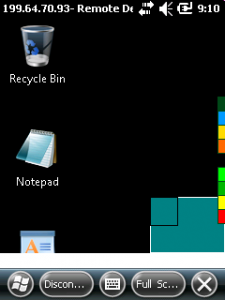
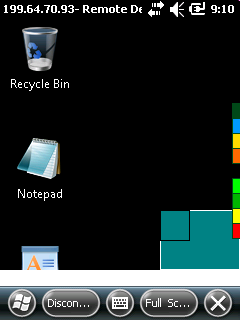
For visual control, RDMKeepbusy shows a small blinking line in the task bar:
green = Remote Desktop window found and input window is active
yellow = Remote Desktop window found, but no input window active
red = Remote Desktop window not found

DOWNLOAD:RDM Keepbusy - Windows Embedded Handheld application to avoid idle timeouts (Hits: 119, size: 8.07 kB)

Mobile Development: a native remote desktop client (rdesktop port win32)

The famous rdesktop running natively on windows ce and windows mobile

Intro and Background

Some times ago I found that message of Jay Sorg and retrieved a copy of his code for a native rdesktop win32 version. I played a little and got the code compile with Visual Studio 2005 with the Windows Mobile SDK.

I tried to implement windows clipboard support to enhance the transfer of texts between the client and server, but unfortunately I was not successful yet. Hopefully someone jumps in and helps enhancing the code and adds some features.

Rdesktop is open source and you can go with the wince implementation here, but if it does not work for you, you have either change the code yourself (and publish it) or find someone that is able to do for you.

There is a template uiports/xxxwin.c in the actual rdesktop source you can use as a starter to compile the actual rdesktop version for windows mobile if you manage to get all the dependencies to work. If you success, forget this post and go with this version (maybe you leave me a note?).

Why another Remote Desktop/Terminal Server Client?

Continue reading ‘Mobile Development: a native remote desktop client (rdesktop port win32)’ »