August 29, 2014, 13:54
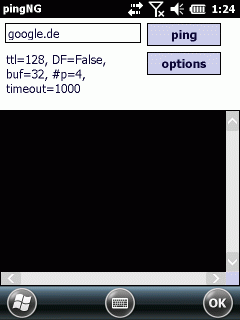
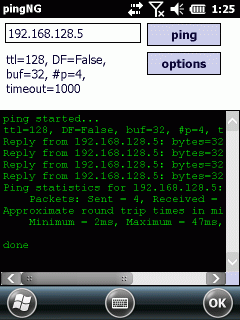
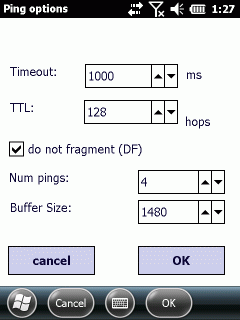
As I needed a tool to test the maximum MTU size for a network, I needed a ping tool where I can define the packet size and the DF (Do Not Fragment-Flag). As I did not find such a tool, I wrote PingNG.
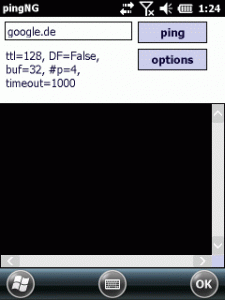
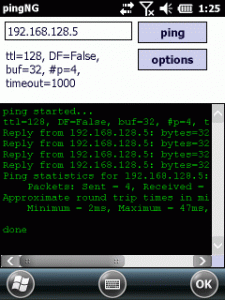
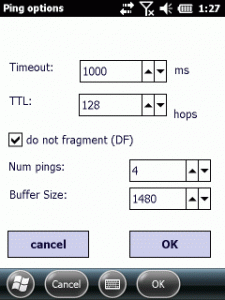
It is a simple tool but the code had to avoid some pitfalls.
Continue reading ‘Mobile Development: PingNG-the next generation ping’ »
Tags:
CodeProject,
Compact Framework,
CSharp,
DF,
do not fragment,
icmpreply,
MSS,
MTU,
ping,
Programming,
windows mobile Category:
CodeProject,
Programming,
Tools |
Comments Off on Mobile Development: PingNG-the next generation ping
April 24, 2014, 12:14
today Plugins with compact framework
The following today or home screen plugins for Windows Mobile are based on a work of CrisText at codeplex.
The codeplex sources provide a framework to create home screen plugins very easily.
You just start a Form or UserControl and add the attribute “[TodayScreenItem(“a unique name”)]” before the class. Further on, the framework looks for such plugins dynamically and you can add or remove plugins by just adding or removing DLLs.
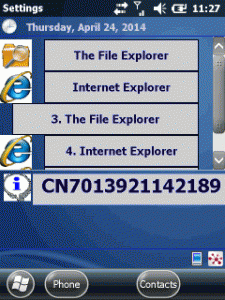
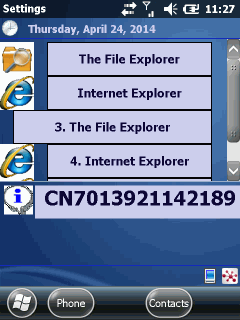
I did two plugins, one shows the Intermec device ID and the other enables you to have buttons on the home screen to directly launch applications.
Show some information
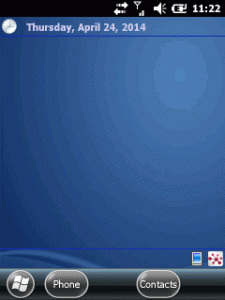
The first plugin is very simple. An user control that just shows some static text (see the lower info on the screen shot):
Continue reading ‘Mobile Development: writing today screen plugins the easy way’ »
March 26, 2014, 20:33
Uuups, sometimes we are looking for a way to do simple things and do not remeber how easy it was.
Question: How can one hide/show the start icon in taskbar of Windows Mobile 6.1 (and before)?
Answer: Use the API provided by Microsoft for this: SHFullScreen! No need to use FindWindow and subclass, very simple use.
Ah, remeber that this will NOT work on Windows Enbedded Handheld 6.5.3 or Windows Mobile 6.5.3 or whatever you call it. The API will simply not do it’s work.
Here is a C# example for SHFullScreen usage.
Continue reading ‘MobileDevelopment: Using shFullScreen API to show hide Start icon’ »
January 25, 2014, 20:13
I again ported the codeproject BarcodeLib to Compact Framework. So feel free to use that, if you need one of the supported linear barcode type.
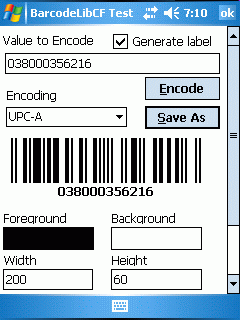
The VS 2008 / WM5 SDK / Full Framework solution is located at github.
A ready to use binary including the lib is at github.




 http://www.led-mg.de