Archive for the ‘Int*rm*c’ Category.
October 20, 2016, 06:56
Some times ago I wrote a barcode scanner NPAPI plugin for the HTML5 browser by zetakey. It is based on code supplied as MySensor in the motorola knowledge base. The plugin is for Windows Mobile 6.x based devices by Intermec and another one for M3 devices.
The MySensor plugin based on npruntime was the only sample I could get to compile and work correctly. The barcode scanner fork I wrote does also work very well. The new MyDevinfo plugin retrieves model code, battery level and WLAN RSSI value of the Intermec device and allows to present this information to a HTML5 browser user when needed.
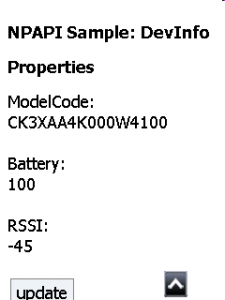
The above shows the web page of MyDevinfo_simple.htm.
Continue reading ‘NPAPI – a plugin to retrieve device information’ »
April 24, 2014, 12:14
today Plugins with compact framework
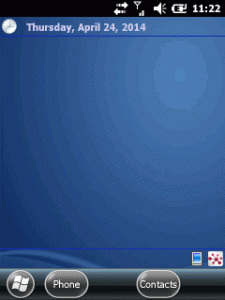
The following today or home screen plugins for Windows Mobile are based on a work of CrisText at codeplex.
The codeplex sources provide a framework to create home screen plugins very easily.
You just start a Form or UserControl and add the attribute “[TodayScreenItem(“a unique name”)]” before the class. Further on, the framework looks for such plugins dynamically and you can add or remove plugins by just adding or removing DLLs.
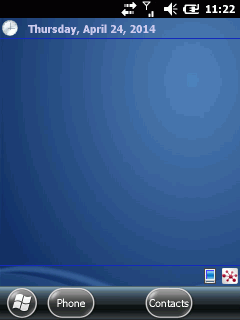
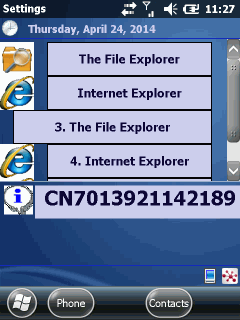
I did two plugins, one shows the Intermec device ID and the other enables you to have buttons on the home screen to directly launch applications.
Show some information
The first plugin is very simple. An user control that just shows some static text (see the lower info on the screen shot):
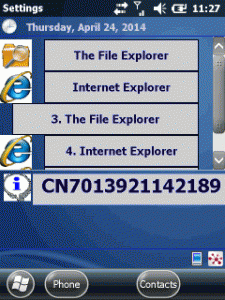
Continue reading ‘Mobile Development: writing today screen plugins the easy way’ »
November 7, 2012, 16:16
This is a very simple application to show the values of GetSystemPowerStatusEx2 in live view.
That enables you to see how much power is drawn of the battery if you switch WiFi on or off for example.
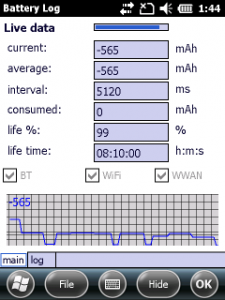
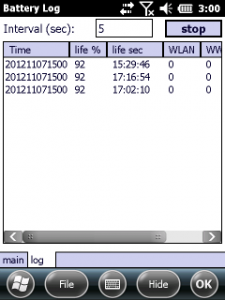
On industrial devices you can also check the power consumption of special modules like a barcode scanner.
Continue reading ‘Mobile Development: Watch the power of your device, think green’ »
March 21, 2012, 09:21
Just a post to let you know, that RDM_KeepBusy for WM6.5 has been updated




 http://www.led-mg.de